How to create a New User
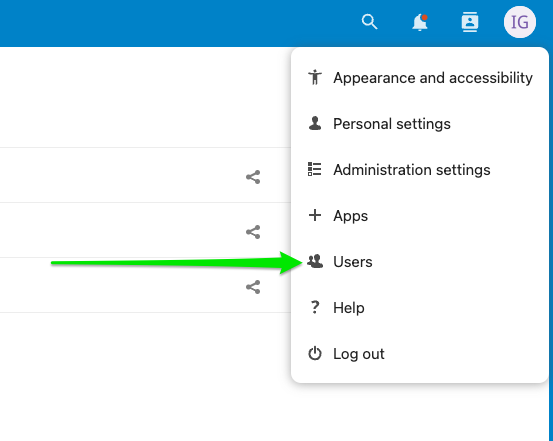
- Login with your account and click icon in the top right corner:
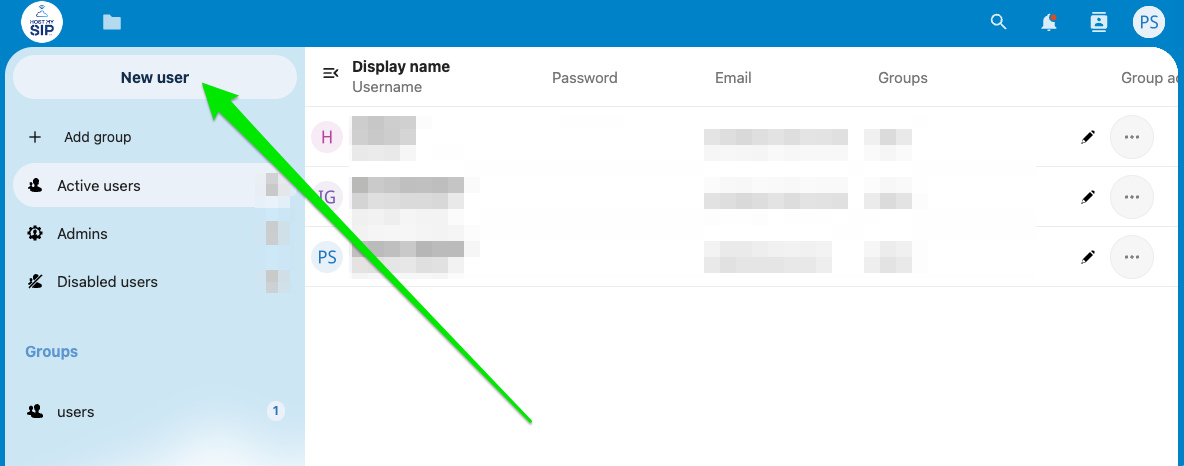
- Click New user:
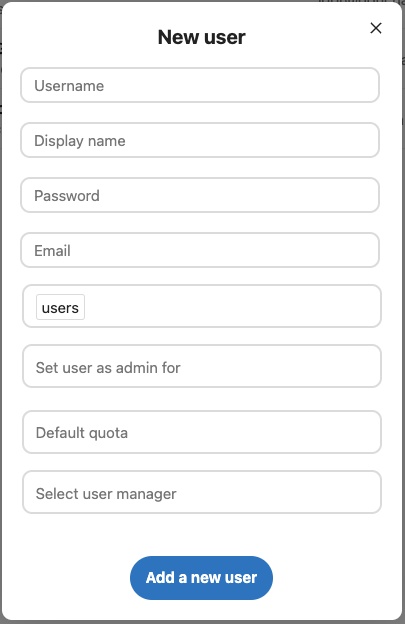
- Fill the form, select “users” group and click Add a new user:
How to enable/disable user
- Login with your account and click icon in the top right corner:
- To enable user select “Disabled Users”, hover over the user you want to disable and select the option “Enable User”:
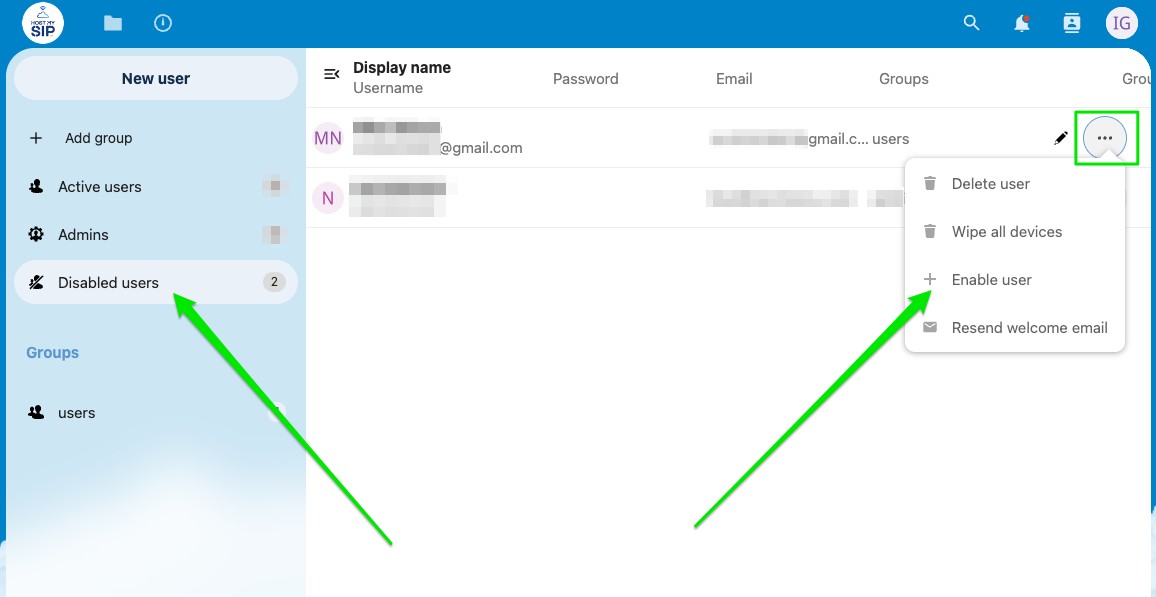
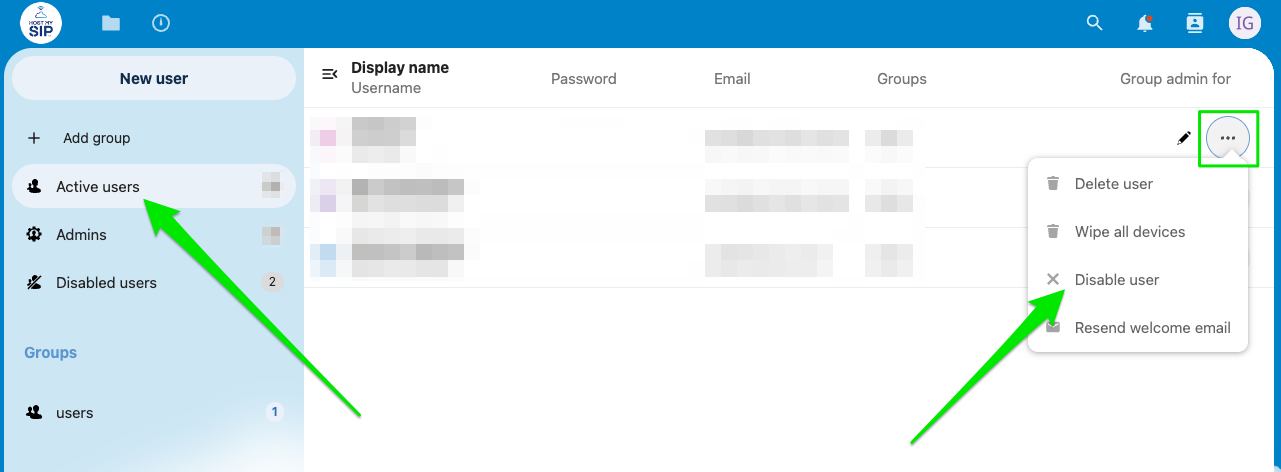
- To disable user select “Active Users”, hover over the user you want to disable and select the option “Disable User”: