- Log into the Amazon WorkMail Client (link)
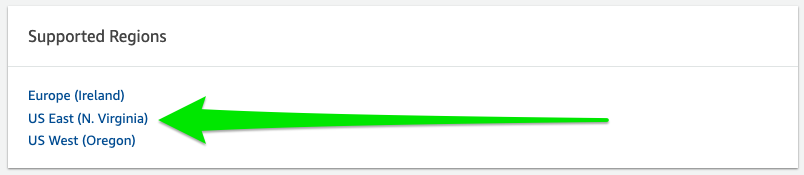
- Navigate to the organization tab
- Click on the link indicated by Article 1 in Figure 1.1

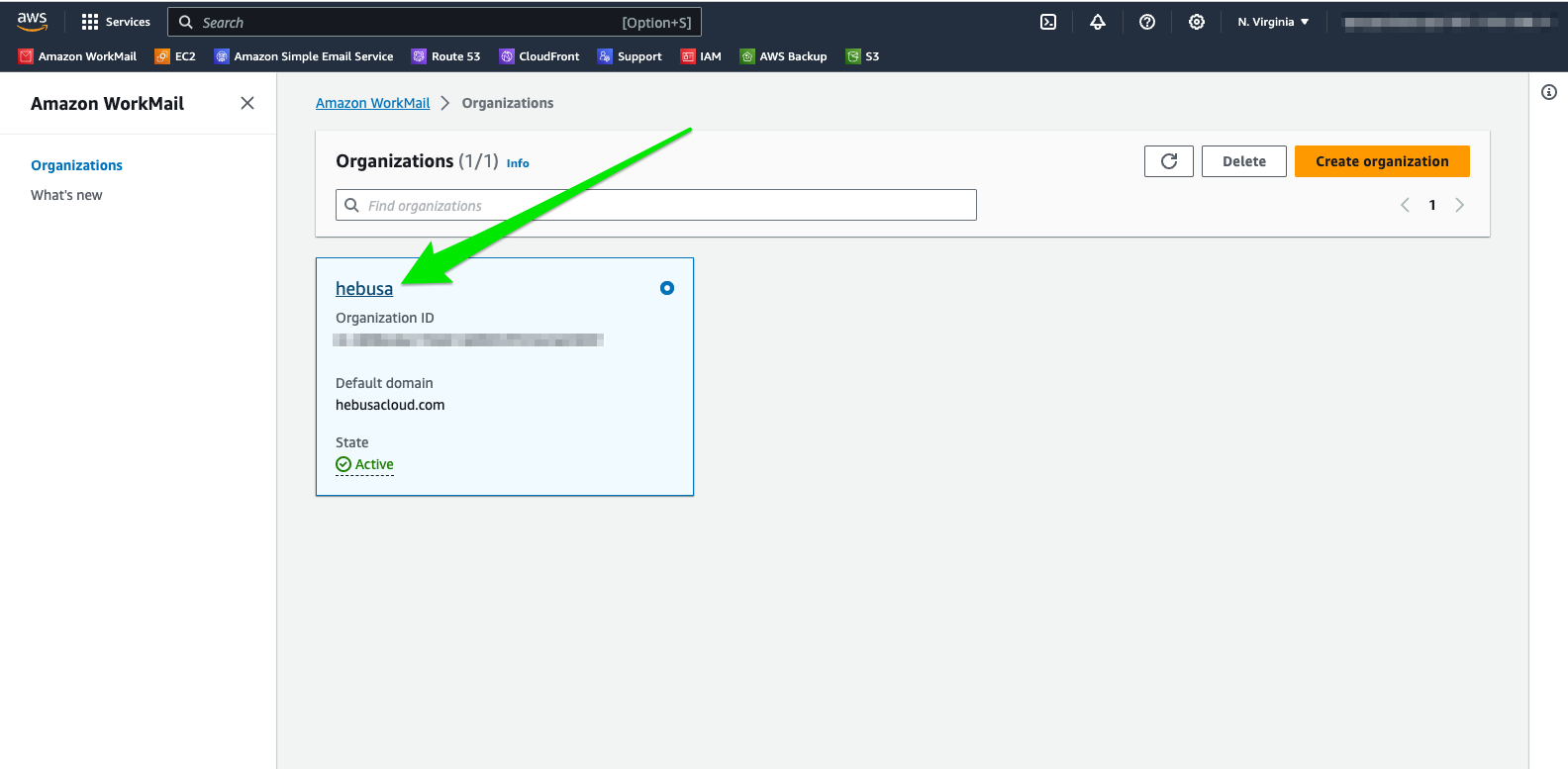
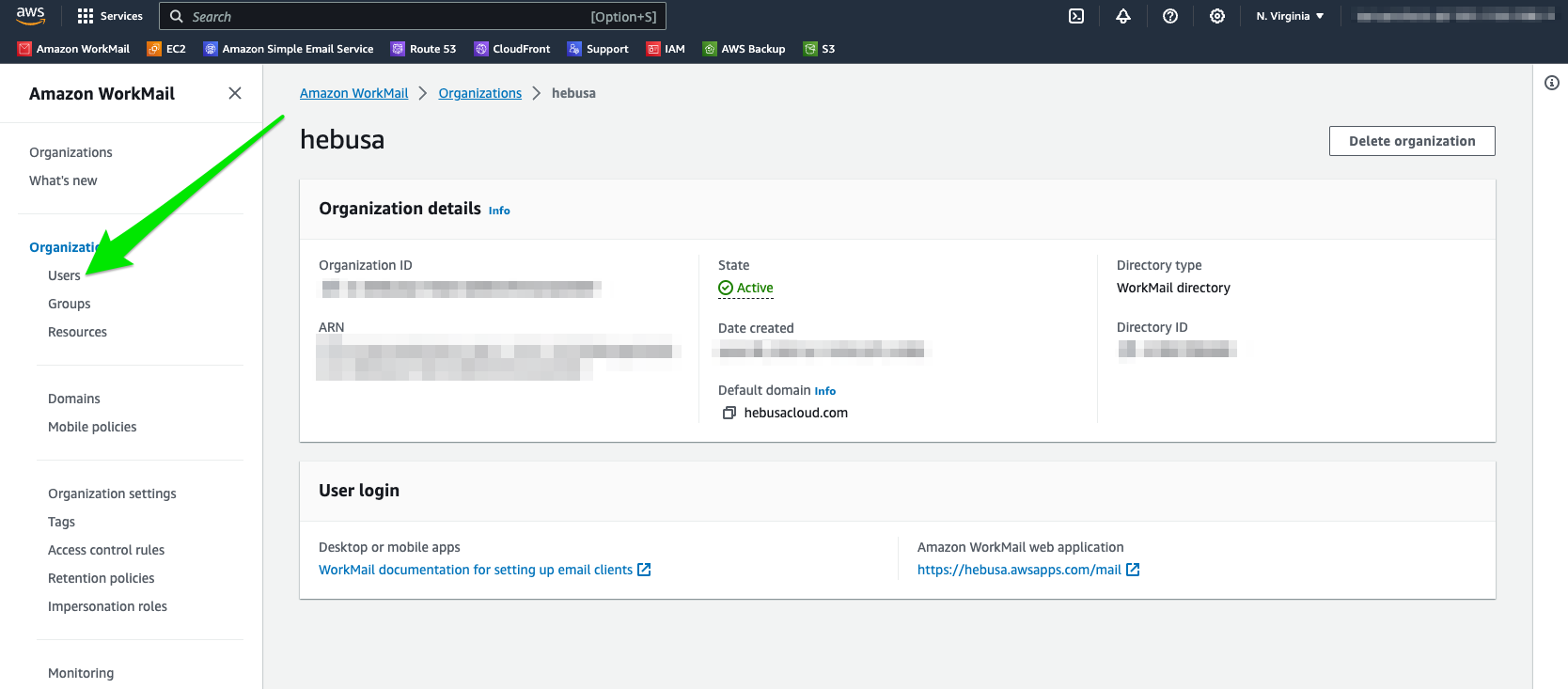
- Proceed to click on the “Users” link as indicated in Figure 1.2 with a green arrow
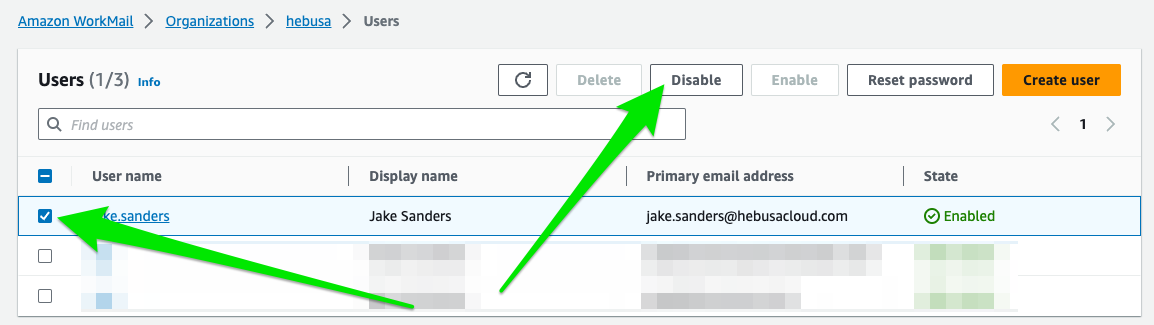
- Once at the Users tab, choose the email address that you would like to delete. First step is choosing the appropriate account by indicating it with a check mark on the left side of the screen. Then, the account needs to be disabled by clicking on the button stating Disable, as shown in Figure 1.3
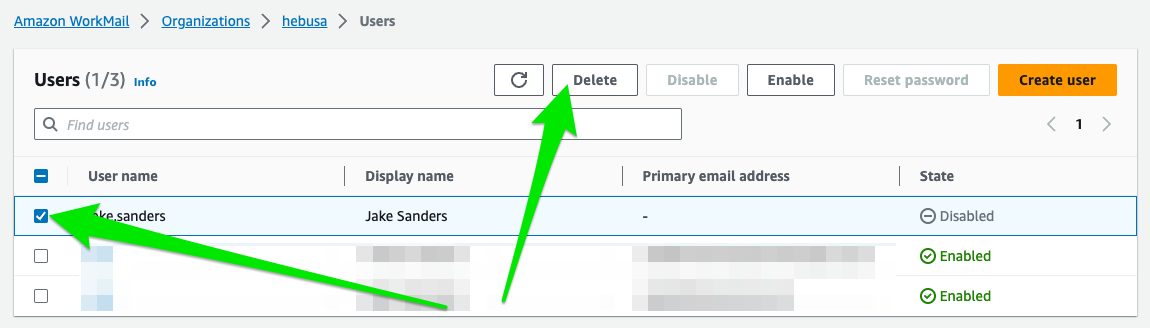
- Once the account is disabled, an account can finally be deleted. This can be done by choosing the account with a checkmark on the left side of the screen. Then, a button stating Delete needs to be pressed, indicated by red arrows in Figure 1.4
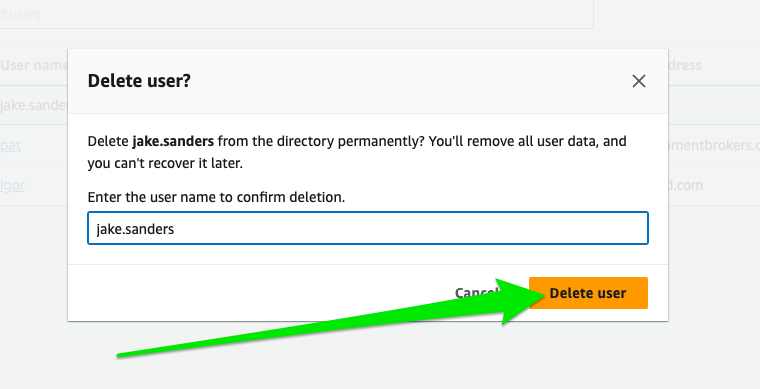
- In order to finish the process, upon hitting the delete button, a form will appear asking the use to enter their user account. Once it is entered, the account can be deleted.
- Congratulations, you have successfully deleted a mailbox.